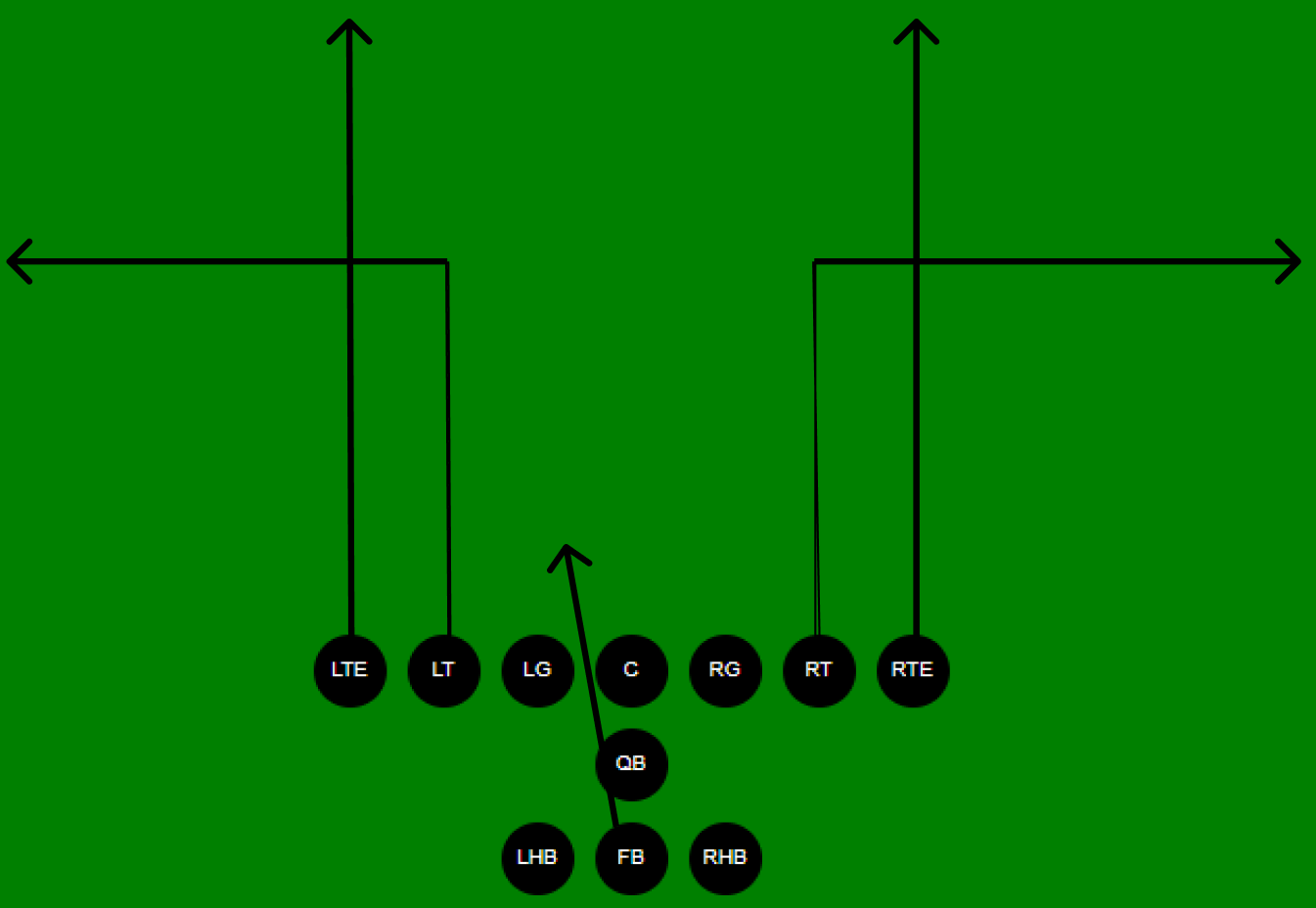
Hail Mary Out
A tiny TypeScript library for creating, saving, and animating American Football play diagrams. Built on the Web Animations API with no runtime dependencies.
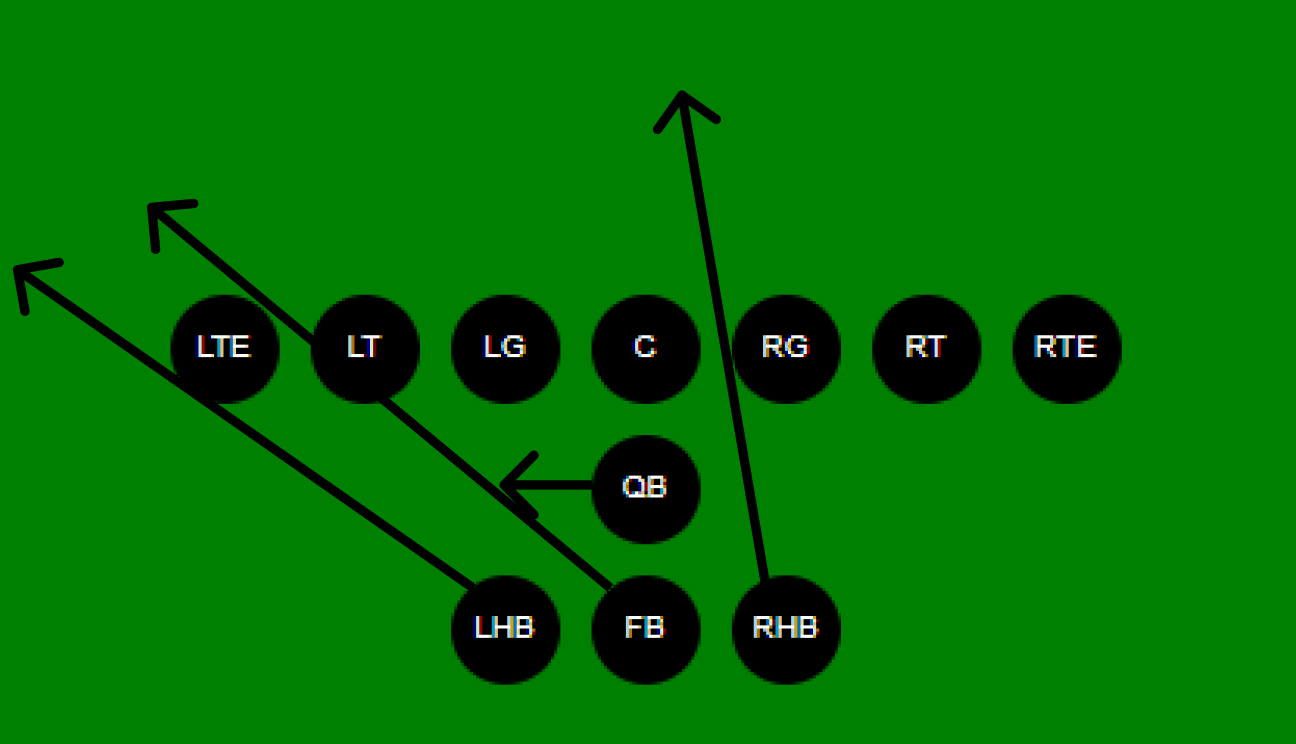
PlayDisplayer mounts an 11-player offensive formation into the slot you name. With no moves assigned, the Play Animationbutton is disabled — the library knows there's nothing to animate.
import { PlayDisplayer } from '@connorburns/playbook';
import '@connorburns/playbook/styles.css';

new PlayDisplayer({
  size: 'large',          // 'large' | 'xx-large'
  parentId: 'field-slot', // id of a <div> in your HTML
});setMove binds a named route from the move catalog to one of the eleven positions. play() returns a Promise that resolves when every per-player animation chain finishes.
const field = new PlayDisplayer({ size: 'large', parentId: 'field-slot' });

// 11 positions: lte lt lg c rg rt rte qb lhb fb rhb
field.setMove('lte', 'straight-deep'); // left tight end runs deep
field.setMove('rte', 'mid-90-right');  // right tight end: mid then cuts right
field.setMove('qb',  'pass-qb');       // QB drops back
field.setMove('fb',  'hole-four-fb');  // fullback hits hole four

await field.play(); // Promise resolves when every animation finishesspawnSandbox renders eleven dropdowns wired to setMove — an end-user UI for composing plays without writing code. Each pick is applied immediately; no Confirm step.
const field = new PlayDisplayer({ size: 'large', parentId: 'field-slot' });

field.spawnSandbox(
  false,           // allowSave — include a Save to Book button?
  'sandbox-slot',  // id of a <div> to mount the dropdowns into
);Passing a field to Playbook wires each page's Initialize Playbutton to load that page's saved move list back into the displayer. Flip the book, hit Initialize Play, then Play Animation.
import { Playbook } from '@connorburns/playbook';

const field = new PlayDisplayer({ size: 'large', parentId: 'field-slot' });

const book = new Playbook({
  title: 'Playbook',
  field: field,                // wires Initialize Play buttons to this field
  pageOrientation: 'vertical', // 'horizontal' | 'vertical'
  parentId: 'book-slot',       // id of a <div> in your HTML
});

book.addPage(imageUrl, 'Hail Mary Out', videoUrl, {
  // partial move map — unlisted positions default to 'none'
  lte: 'straight-deep', qb: 'pass-qb', fb: 'hole-four-fb',
});createConnectedLayoutThe helper mounts a responsive shell and returns three slot IDs. Above 1400 px the book sits on the left with field + sandbox stacked on the right; below that, everything stacks vertically.
import {
  PlayDisplayer,
  Playbook,
  createConnectedLayout,
} from '@connorburns/playbook';

// mounts a responsive shell into 'mount-point' and returns three slot IDs
const layout = createConnectedLayout('mount-point');

const field = new PlayDisplayer({ size: 'large', parentId: layout.fieldSlot });

const book = new Playbook({
  title: 'Example',
  field: field,
  allowSave: true,             // show Save to Book button
  pageOrientation: 'vertical',
  parentId: layout.bookSlot,
});

field.spawnSandbox(true, layout.sandboxSlot, book.createSaveButton());